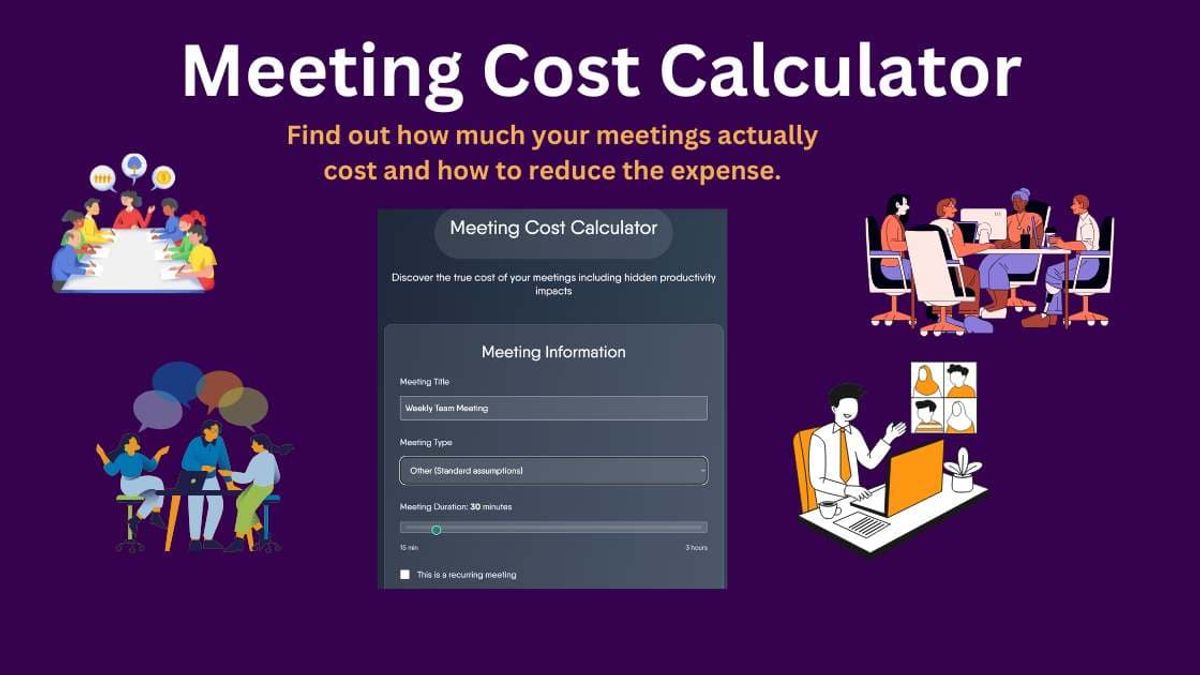
Meeting Cost Calculator: Real Cost of Meetings in 2026
Introduction
Did you know that the average knowledge worker spends 23 hours per week in meetings, costing companies billions annually?
Once you really calculate the cost of your meetings, you'll be shocked where your budget dollars really go!
Our comprehensive meeting cost calculator gives you data and a dollar number to help control the costs that affect your bottom line.
We'll get into what exactly a meeting cost calculator is, how ours works, why it's important for your business, and how to reduce meeting costs.
What is a Meeting Cost Calculator
Sometimes you can sit in a meeting and look around and see the dollar signs floating in the air. Well, a meeting cost calculator puts a dollar figure to those discussions around conference room table, online meetings, and those unplanned "quick meetings".
At its most basic level, these calculators work by taking the hourly wages of everyone in the room and multiplying that by the meeting duration.
But when you see them laid out, that's a whole different story.
Take the simple example of 8 employees in a team weekly meeting. If the average office worker makes around $35 per hour, then there's $280 right there.
Most people don't think of meetings as having a "cost". But they definitely do!
So companies are starting to make smarter decisions. They're asking questions.
- Is this meeting really necessary?
- Can the information simply be sent in an email?
- If the meeting is necessary, how can we reduce the duration of the meeting?
So are there different types of meeting cost calculators? Yes, there sure are.
It's really the psychology of meeting cost calculators that provides a metric we all understand – money. We don't think much about time, but money and budgets feel very real!
Some companies display the running cost of the meeting on the conference room screen or include an estimated costs in the meeting invitations.
And of course, there's the cost of the work that is NOT being done while you're in the meeting... called the opportunity cost. We are all too familiar people who are multi-tasking and furiously working on a document while "listening" to the meeting conversation.
Think of all the project work, customer call, coding, etc, that gets pushed aside to attend a meeting.
How to Use Our Meeting Cost Calculator
So now that your understand what a meeting cost calculator is, now we can get down to the math and figure out the real cost of those meetings.
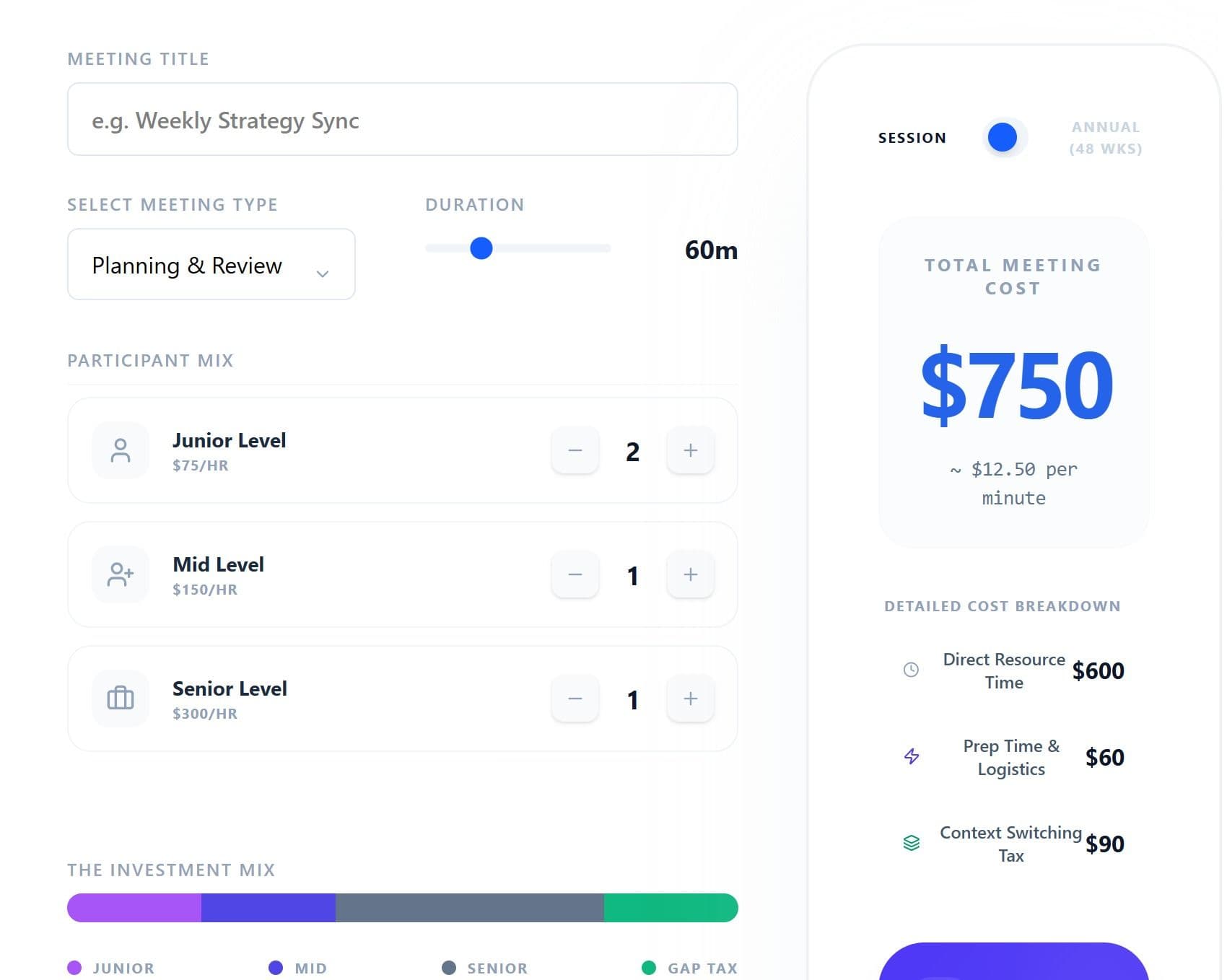
Enter Basic Meeting Information
This is the top level information related to your meeting:
1. Meeting Title - use this to identify the meeting if you want to save or share it.
2. Meeting Type - this is important! The type relates to how much preparation and follow-up time are required and factors into the final cost estimate.
3. Meeting Duration - use the slider to select how long the meeting is scheduled to last
Number of Participants
Here's where you enter the number of meeting participants.
Simply use the sliders for the number of junior level participants.
Repeat the process for Mid Level participants
And the same for Senior Level participants
Total Meeting Cost
This is the number that everyone wants. What is this meeting really costing our organization?
Wow! Everyone is always shocked.
But what makes up this number? Good question.
It's not just the number of participants and hourly rate.
Remember the meeting type we entered? That was important because there are prep costs and follow up cost that can vary by different types of meetings.
So then there's a breakdown of cost estimates associated with the meeting. These are added to the participant costs to get the total meeting cost.
Perspective and Recommendations
The final section gives you a lighthearted perspective of what the cost of your meeting could have purchased!
And then on a more serious note, there are recommendation on how to cut the cost of similar future meetings.
It may not be possible to exclude some senior level participants to your meeting, but you can certainly reduce your meeting times!
Use the meeting cost calculator for a few of your meetings and see what kind of trends you see.
You'll begin to be more conscious of the number of people you invite, the length of your meetings and take time to better prepare!
Why Meeting Costs Matter
By now you know that meeting costs are more than just the participants hourly rate. There are a lot of associated costs that you may not think about.
- All that technology and software (yeah whiteboards!) in the conference room. Nobody thinks much about it, but when you include rent and related costs, a conference room can cost $75 per hour to maintaina conference room can cost $75 per hour to maintain!!
- We've already looked at preparation time for a meeting. Depending on the type of meeting, it can be a huge chunk of the cost.
- Productivity takes a huge hit. It's not just the opportunity cost of what participants could be doing if they weren't in the meeting. It's the "switching cost" too. It takes an average of 23 minutes to regain focus after an interruption. And yes, a meeting is an interruption in your otherwise productive day.
So why does all this matter? Well, again it comes down to money. Specifically, wasting money.
A survey by Atlassian found that the average employee attends 62 meetings per month, but considers 25% of them unnecessary. Let's say your organization has 100 people. That's roughly $300,000 in meeting costs every year! found that the average employee attends 62 meetings per month, but considers 25% of them unnecessary. Let's say your organization has 100 people. That's roughly $300,000 in meeting costs every year!
And 100 people is a small organization!
Smart businesses treat meeting time like any other major expense. They're setting budgets, tracking ROI, and deciding whether a meeting is worth the cost.
Types of Meetings and Their True Costs
You'd think that a meeting is meeting and there's not much difference between them. But this is not the case when it comes to meeting costs.
Let's take a look at the different types of meetings out there and what makes their costs different.
Daily Standup Meeting
Daily standups might seem inexpensive because they're quick... they are only supposed to last 15 minutes.
But here's the math tells a different story. A team of 8 developers at $65 per hour spending 15 minutes every day adds up to $16,900 annually. And if any of those developers are consultants, the costs can skyrocket.
Don't forget the preparation time and context switching. From spending 5-10 minutes to update documents and 15-20 minutes to get back into work mode afterward, that "quick" daily standup is really taking up 45 minutes of everyone's day.
Project Kickoff Meeting
Project kickoffs and planning meetings are a must. And they can have a big ROI when done correctly.
A good planning meeting can be the foundation of a well-run project that ends in success.
Status Update Meeting
Status update meetings get a bad rap. And with good reason.
Status updates, unless there is a collaborative value, are usually participants updating everyone about what they're working on.
There are other options to provide this kind of information. Email status updates and short video updates are becoming more common to save money and resources.
All Hands Meeting
Here's where some really astronomical numbers are when it comes to meeting costs.
Not only do you have the entire organization attending the meeting, you've got opportunity costs, venue cost, catering, and maybe travel. It all adds up to a very expensive event.
The question is whether it's worth it.
- Do employees retain the information at these meetings?
- Is it more efficient to do a recorded presentation?
Client Meeting
Client meetings and presentations are usually critical and have the highest return. After all, your clients are the ones paying the bills. You need to close the deal!
How to Reduce Meeting Costs
Now that you have some insight into how much those meetings cost your company, you can tackle the task of getting those costs down. But the key is not affecting meeting productivity while doing it.
Let's look at some tactics that actually work.
Schedule Shorter Meetings
Shorter meetings are focused and more productive. The 25-minute meeting is becoming the new standard for good reason. When you schedule 25 minutes instead of 30, people get straight to business because they know time is limited. And people benefit from a short break when you have back to back meetings.25-minute meeting is becoming the new standard for good reason. When you schedule 25 minutes instead of 30, people get straight to business because they know time is limited. And people benefit from a short break when you have back to back meetings.
And obviously there's a cost benefit to a shorter meeting. Participants can get back to productive work faster.
Assign Meeting Roles
Assigning roles like decision maker, timekeeper, action item tracker, etc. keeps meetings focused and prevents them from going over the meeting time.
And if participants don't have a meaningful role, then maybe they don't need to attend the live meeting. Record the meeting or send them a summary.
Another great option is a 5 minute video summary of the meeting can replace a long discussion for people who didn't need to be in the meeting.
Create Shared Documents
There are so many ways to share documents these days, there's no excuse for not easily sharing meeting information with people who don't attend a live meeting.
Shared documents like Google Docs let people comment and provide a record of all the discussions related to the meeting.
And don't forget about Slack threads or Microsoft Teams channels for status updates that members can review at their convenience.
Meeting Blackout Times
Meeting-free time blocks are becoming more popular with a lot of organizations, giving everyone extended periods of time to get work done without being overscheduled with meetings.
This can work for the organization and at the personal level too. Consider blocking off a few hours on your calendar for meeting-free times.
Most people find that their productivity increases with solid chunks of time to focus on work, rather than a fragmented day chopped up with meetings.
Limited Meeting Budgets
Some organizations implement "meeting budgets" where each department gets a limited number of meeting hours per month.
With these constraints meeting times are typically reduced by about 30%. We all respond to limits!
Leverage Technology
We already mentioned some go-to tools like google doc, Teams, and Slack.
There are also some AI-powered meeting tools that can help you lower your meeting costs. Tools Otter.ai can automatically generate meeting summaries and action items. You could save 20-30 minutes in writing notes and summaries after a meeting.AI-powered meeting tools that can help you lower your meeting costs. Tools Otter.ai can automatically generate meeting summaries and action items. You could save 20-30 minutes in writing notes and summaries after a meeting.
Set Clear Agenda
We have all been in a meeting that seems to have no clearly defined purpose. It's basic but often gets overlooked.
You need an agenda for the meeting, but a clear agenda for each meeting item needs to be in place too. You should include times by topic and desired outcomes to keeping participants focused on the task at hand.
Parking Lot Technique
The "parking lot" technique is great for acknowledging ideas that come up during your meeting but may be off the topic of the meeting agenda.
The parking lot lets you not derail your meeting. Keep a list of these good ideas and review them later.
Goodbye scope creep!
Conclusion
A meeting cost calculator can help you understand the number, but it's a ultimately a tool that can help you improve your company culture too. Respecting everyone's time and working efficiently helps productivity and the bottom line.
Start by calculating the cost of your top meeting, and see if you can reduce the cost by a modest 20%. Then continue the process with the next tier of meetings. Pretty soon you'll see the savings in time and money.
You'll unlock more time for yourself and the people in (or not in) your meetings.